Key takeaways
- The most common exploits are old-fashioned: impersonation, hidden notes, second devices, and a helper just out of frame.
- Newer threats like virtual machines and AI answer tools call for browser-level checks and full-room visibility, not just a webcam.
- Fast detection only helps if a proctor can act on it, so real-time flagging and live oversight belong together.
Artificial intelligence and advanced technologies are rapidly transforming the way exams are taken, and, in some cases, how they are exploited. Today, examinees may attempt to use AI-powered tools to generate answers, access real-time assistance, or bypass traditional monitoring methods. As these technologies evolve, so do the risks to exam integrity.
Proctor360 leverages advanced technology and AI-enhanced monitoring to help prevent these challenges, providing institutions with the tools needed to detect and deter both traditional and AI-assisted misconduct.
As online education and remote assessments continue to expand, protecting exam integrity has become increasingly important. Some test-takers may attempt to use unauthorized methods to gain an advantage, making it essential for institutions to understand potential risks and apply effective safeguards.
Understanding Remote Exam Risks
Test-takers may attempt to bypass exam rules due to pressure, convenience, or perceived gaps in remote environments. These methods can range from simple techniques to more advanced tools, including secondary devices, software, or AI-driven assistance.
Understanding these behaviors helps institutions take a more proactive and informed approach to exam security.
10 Common Exploits and How to Help Mitigate Them
1. Impersonation & Identity Misrepresentation
How it works: Another individual attempts to take the exam on behalf of the candidate.
Mitigation: Identity verification during check-in, combined with live proctor review or AI-assisted monitoring, helps confirm the correct test-taker throughout the session.
2. Unauthorized Resources
How it works: Notes, secondary devices, or materials are used outside the camera’s view.
Mitigation: Multi-camera monitoring (e.g., webcam plus mobile device or 360 Total View™) provides broader visibility of the environment and helps flag potential concerns.
3. Screen Sharing & Remote Access Tools
How it works: External tools allow others to view or assist with the exam session.
Mitigation: Secure browser features help restrict access to unauthorized applications and log attempts to use restricted functions.
4. Virtual Machines & Hidden Displays
How it works: Virtual environments or additional monitors may be used to bypass controls.
Mitigation: System checks and multi-angle monitoring help identify irregular setups and provide additional context for review.
5. Collusion & External Communication
How it works: Candidates receive assistance from off-camera individuals or hidden devices.
Mitigation: AI-assisted monitoring helps flag unusual behavior, while live proctors can observe and intervene when necessary.
6. Browser Extensions & Unauthorized Software
How it works: Extensions or background tools may assist with answers or bypass restrictions.
Mitigation: Secure exam environments help restrict extensions, track activity, and log events for post-exam review.
Curious how Proctor360 fits your exam program?
See AI, live, multi-cam, and 360° Total View™ proctoring in a quick 30-minute demo.
7. AI-Assisted Tools
How it works: AI tools (e.g., large language models) may be used to generate responses.
Mitigation: Monitoring combined with exam design (e.g., applied or analytical questions) helps reduce reliance on external tools.
8. System or Network Manipulation
How it works: Attempts are made to bypass restrictions using system changes or alternative connections.
Mitigation: Proctoring systems monitor session activity and log irregular behavior for further review.
9. Physical Environment Exploits
How it works: Materials or individuals remain outside a single camera’s field of view.
Mitigation: Room scans, multi-camera setups, and 360° monitoring help expand visibility of the testing environment.
10. Technical Disruptions
How it works: Interruptions are used to gain extra time or disrupt the exam flow.
Mitigation: Session recording, incident logging, and proctor oversight support fair handling of disruptions.
Building a Culture of Integrity
Technology plays a key role, but institutions should also:
- Communicate clear expectations and exam rules
- Provide guidance on the proctoring process
- Align practices with privacy and regulatory requirements (e.g., GDPR, FERPA)
A balanced approach supports both security and a positive testing experience.
Selecting the Right Remote Proctoring Approach
Look for solutions that offer:
- AI-assisted monitoring with incident flagging
- Multi-camera visibility (e.g., secondary device or 360° headset)
- Secure browser functionality with activity tracking
- Live and automated proctoring options
- Scalable infrastructure and LMS integration
These features work together to support secure and flexible exam delivery.
Conclusion
Remote exam security requires a layered and adaptable approach.
By combining AI-assisted monitoring, multi-camera visibility, secure exam environments, and human oversight, institutions can better support fair and credible assessments while addressing evolving risks.
FAQs
Q1: How can identity be verified effectively?
A: Through ID checks, authentication steps, and ongoing monitoring during the session.
Q2: How does Proctor360 help detect suspicious activity?
A: AI-assisted monitoring flags potential incidents, which can then be reviewed by instructors or proctors.
Q3: How are unauthorized tools restricted?
A: Secure browser features help limit access to external applications and log activity during the exam.
Q4: How does multi-camera monitoring improve security?
A: It provides additional visibility beyond a single webcam, helping reduce blind spots.
Q5: Can this scale for large institutions?
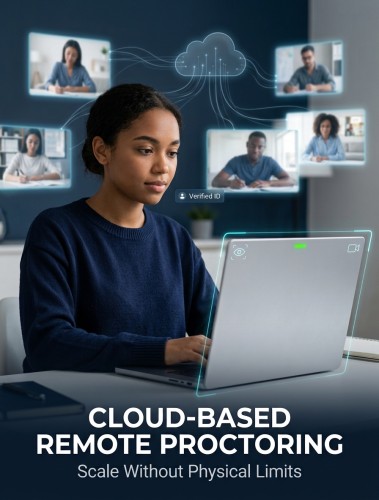
A: Yes. Proctor360’s cloud-based platform supports scalable deployments across institutions and testing environments.
Frequently Asked Questions (FAQs)
What is the most common technical exploit used to cheat in online exams?
Virtual machine spoofing is the most technically sophisticated exploit candidates run the exam inside a VM while having full access to reference materials outside it. Proctor360's browser extension monitors for and flags signs of VM environments before the exam launches.
Can AI tools cheat on online proctored exams?
AI screen readers and LLM-based assistance tools are an emerging threat. Proctor360 monitors for unusual clipboard activity, secondary process launches, and screen overlay applications that indicate AI tool usage during exams.
How does Proctor360 prevent impersonation in remote exams?
Proctor360 uses government ID photo matching at session start, combined with continuous face-presence monitoring throughout the exam, to confirm the same candidate remains at the keyboard for the full session.
Does Proctor360 block access to the internet during a proctored exam?
Proctor360's browser extension restricts browser activity, disabling copy-paste and flagging tab switches or attempts to open unauthorized sites, closing the most common content-access exploits within the browser itself.
How quickly does Proctor360 detect a hacking attempt during an exam?
Proctor360's AI detection layer operates with sub-second latency. Suspicious events are flagged and queued for live proctor review within 1–3 seconds of detection, enabling real-time intervention.
Ready to see Proctor360 in action?
Get a 30-minute demo tailored to your exam type, whether that is AI, live, multi-cam, or 360° Total View™.

Kranthi Bathula is the Co-Founder and CTO of Proctor360 and an online proctoring and assessment-security expert with extensive experience in EdTech, exam integrity, and AI-enabled test monitoring. He writes about remote proctoring, test security, AI in assessments, live and automated proctoring, and best practices for secure online testing. Through his engineering-driven insights, Kranthi helps educational institutions, certification bodies, and employers make informed decisions to protect the integrity of their exams.