Mastering LMS Integration: Your Complete Proctor360 Implementation Guide
Are you finding it challenging to manage online assessments securely while ensuring a smooth experience for both your staff and students? Integrating a proctoring solution with your existing Learning Management System (LMS) shouldn't feel like a complex puzzle.
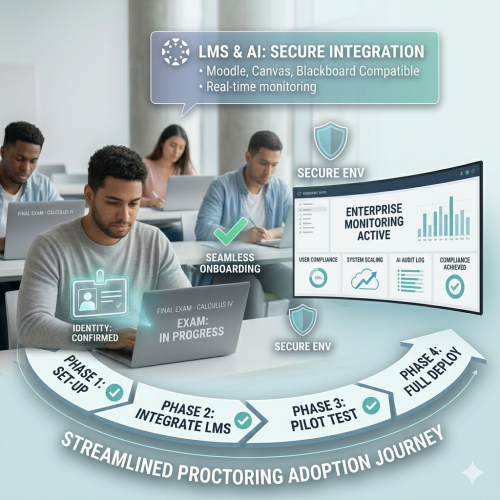
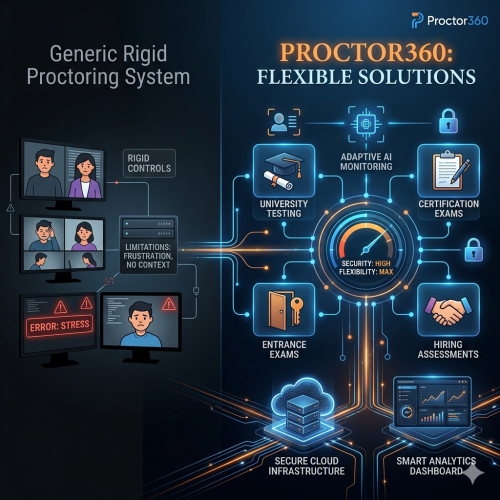
By weaving secure online proctoring directly into the fabric of your LMS, you transform it from an external hurdle into an inherent part of your digital learning environment. This guide explores how Proctor360 offers seamless integration to streamline operations, enhance security, and elevate the remote testing experience.
Understanding LMS Integration Fundamentals
Before implementation, it is important to grasp the core concepts that allow your proctoring solution to work harmoniously with your learning environment.
What is LTI (Learning Tools Interoperability)?
LTI is the industry standard developed by 1EdTech. It acts as a secure bridge, allowing Proctor360 to "talk" to your LMS without extensive custom coding. This creates a unified experience where students access proctored exams directly from their course pages.
API vs. Plugin Approaches
- APIs: Offer high flexibility and deep customization for data exchange. Preferred for custom-built platforms.
- Plugins/Extensions: Pre-built modules for specific platforms like Moodle. They offer a "plug-and-play" setup for quick deployment.
Single Sign-On (SSO)
SSO allows users to authenticate once through their LMS credentials. Once logged into the LMS, they automatically gain access to Proctor360. This centralized authentication reduces "password fatigue" and significantly strengthens security.
Achieving Seamless Integration Across Platforms
Proctor360 is designed to minimize technical overhead across all major educational ecosystems.
Canvas Integration
Canvas by Instructure uses the LTI standard for a 24-hour setup. Administrators simply input LTI keys and a shared secret into the "External Tools" section, enabling instructors to toggle proctoring for any quiz.
Moodle Configuration
Moodle users benefit from a dedicated Proctor360 plugin. This allows for Grade Passback Synchronization, ensuring that proctoring results and exam scores are linked directly to the student's record in the Moodle gradebook.
Blackboard & D2L Brightspace
Both platforms leverage LTI tool registration. In Blackboard, Proctor360 is added as a "Tool Provider," while D2L Brightspace utilizes its flexible architecture to embed proctoring directly into the assessment workflow.
Technical Implementation Checklist
To ensure a smooth transition, follow this strategic checklist:
- Requirements Assessment: Confirm LMS version and network security policy compatibility.
- Credential Configuration: Securely store and input API/LTI keys.
- QA Testing: Verify exam launches and data passback across student and instructor roles.
- Scalability Check: Ensure local network infrastructure can handle peak concurrent traffic.
- Compliance Audit: Verify that all data transfers meet GDPR, FERPA, and CCPA standards.
User Experience Optimization
A truly effective integration enhances the journey for students, faculty, and administrators alike.
For Faculty: Reducing Administrative Burden
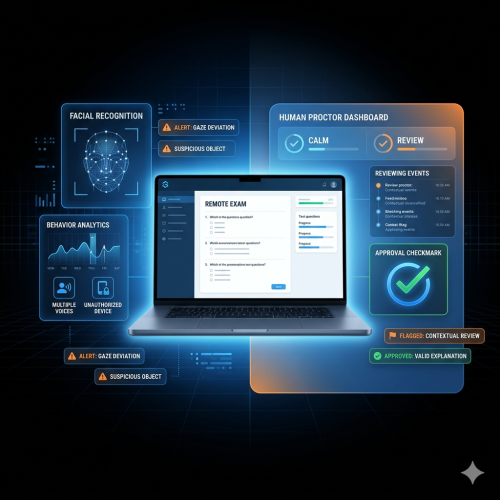
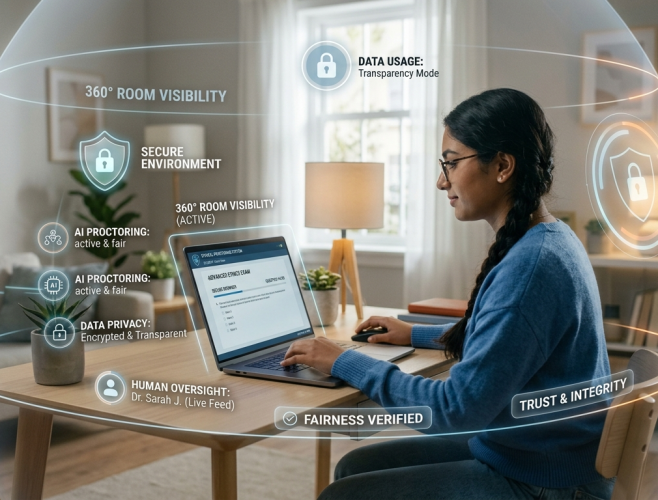
Instructors can enable proctoring rules—such as browser lockdowns or 360° room scans—directly within their familiar interface. Unified Reporting allows them to review AI-flagged incidents without ever leaving the LMS.
For Students: Simplifying the Testing Journey
A low-friction environment is key to reducing test anxiety. Students launch exams using their existing login, and the Identity Verification process is typically completed in under 60 seconds.
ROI and Business Benefits
Investing in robust integration yields measurable returns beyond academic integrity:
- Operational Cost Savings: Automation reduces staff hours spent on manual scheduling and data reconciliation.
- Accelerated Time-to-Market: Quickly deploy new certifications or courses by removing technical setup hurdles.
- Scalability: Proctor360 handles thousands of concurrent test-takers, supporting the growth of your institution.
- Risk Management: Centralized data simplifies compliance audits and reduces the risk of data breaches.
Advanced Integration Features
Proctor360 stays at the cutting edge with features designed for a globalized world:
- Custom API Development: Tailored workflows for proprietary or highly specialized systems.
- Mobile Proctoring: Secure assessments on tablets and mobile devices to accommodate modern learning styles.
- Multi-Language Support: Global interfaces and data residency options to meet diverse international requirements.
Conclusion
Integrating your proctoring solution is a necessity for efficient, secure online assessments. By choosing Proctor360, you are adopting a strategic partnership that future-proofs your assessment processes through LTI standards, flexible API options, and dedicated support.
Ready to transform your assessment workflow? Schedule a personalized demo with Proctor360 today to see our seamless LMS integrations in action.
Frequently Asked Questions (FAQs)
Q: How long does integration take? Standard LTI integrations (like Canvas) can be completed in 24 hours. Custom API implementations for unique platforms typically take 2 to 3 weeks.
Q: What technical resources are required? You will primarily need IT staff familiar with your LMS administration (API/LTI setup). Proctor360 provides full documentation and technical support throughout the process.
Q: Does integration impact system performance? No. Our cloud-based architecture includes automatic scaling to manage peak loads (50,000+ simultaneous test-takers) without performance degradation for the LMS.