Key takeaways
- Customizable proctoring means setting security per exam instead of applying one policy to everything.
- You can dial AI sensitivity, proctor coverage, allowed resources, and accommodations by exam or department.
- That control keeps formative quizzes low-friction while final exams get full protection.
The Ultimate Guide to Customizable Online Proctoring Solutions
Do you ever wonder if a single proctoring solution can truly meet the diverse security needs of every exam you administer? From a low-stakes pop quiz to a high-stakes professional certification, each assessment demands a different level of integrity and oversight. Relying on a one-size-fits-all approach often leads to either over-proctoring simple tests or under-securing critical evaluations, creating inefficiencies and potential vulnerabilities.
In today's dynamic landscape, the key to navigating these complexities lies in adopting a platform that offers unparalleled flexibility. Customizable online proctoring is no longer just a luxury; it is a necessity for modern assessment environments.
Understanding Customizable Proctoring: Beyond Basic Monitoring
True customization goes far beyond turning a camera on or off. It offers granular control over every aspect of the monitoring process, allowing administrators to fine-tune settings to match the context and importance of each assessment.
Key Customization Dimensions:
- Identity Verification: From simple ID scans to multi-factor authentication.
- Environmental Control: Granular levels of browser lockdown and room scans.
- Behavioral Parameters: Adjusting the sensitivity of AI alerts for movement or noise.
- Human Oversight: Choosing between automated review, live proctoring, or a hybrid model.
The Proctor360 Advantage: Flexible Security for Every Scenario
Proctor360 stands out by providing a multi-mode proctoring experience. Whether you need fully automated AI, live human intervention, or a hybrid of both, the platform adapts to your specific requirements.
TotalView™ Technology: Eliminating Blind Spots
At the core of our advanced capabilities is the patented 360° TotalView™ technology. This unique feature combines a standard webcam feed with a 360-degree camera view or a secondary device feed. By capturing the entire testing environment, it ensures that unauthorized materials or secondary devices cannot be hidden, offering a level of integrity that standard webcams simply cannot match.
Configurable Infrastructure
Administrators benefit from over 20 adjustable parameters, allowing for a bespoke testing environment. This ensures reliable performance and scalable infrastructure that maintains stability even during high-volume peak periods.
The 5 Pillars of Effective Proctoring Customization
To build a resilient assessment strategy, organizations should focus on these five core pillars:
Curious how Proctor360 fits your exam program?
See AI, live, multi-cam, and 360° Total View™ proctoring in a quick 30-minute demo.
| Pillar | Focus Area | Impact |
| 1. Security Configuration | Matching monitoring intensity to exam stakes. | Prevents "over-proctoring" lower-stakes quizzes. |
| 2. Accessibility | Adjusting for WCAG compliance and special needs. | Ensures an inclusive, equitable testing environment. |
| 3. Integration | Seamless connectivity with LMS platforms. | Streamlines workflows in Canvas, Moodle, or Blackboard. |
| 4. Scalability | Robust cloud architecture. | Prevents system crashes during concurrent high-volume tests. |
| 5. Analytics | Data-driven reporting on behavior and trends. | Validates ROI and helps refine security settings. |
Technical Implementation: How It Works
Implementing a tailored solution follows a structured, iterative process:
- Profile Creation: In the administrative dashboard, define specific security profiles for different course types.
- Workflow Integration: Connect these profiles to your LMS. Instructors simply select the pre-configured profile when scheduling the exam.
- Pilot Testing: Run small-scale simulations to identify technical glitches or refine AI sensitivity settings.
- Ongoing Optimization: Regularly review analytics to adjust detection thresholds, reducing false positives while maintaining a 99.5% integrity rate.
Future Trends: The Evolution of Customization
As technology advances, customizable proctoring will continue to shift toward less intrusive, more intelligent models:
- AI Precision: Machine learning will better differentiate between a student’s natural struggle with a question and actual suspicious activity.
- Privacy-First Customization: Enhanced controls for data retention and anonymization to meet strict GDPR and SOC 2 standards.
- Mobile-First Solutions: Ensuring that smartphones used for testing maintain the same integrity standards as desktop environments.
- Global Adaptability: Support for multiple languages, time zones, and regional legal requirements to facilitate cross-border education.
Conclusion: Getting Started
The ability to precisely tailor security measures to each assessment's unique needs represents a significant leap forward. By moving away from rigid systems and embracing the flexibility of Proctor360, institutions can protect their academic reputation while respecting the candidate experience.
Ready to customize your assessment strategy?
Schedule a personalized demo today to see our 360° TotalView™ technology and configurable dashboard in action. Let us help you build a more secure and equitable testing environment.
Frequently Asked Questions (FAQs)
What proctoring settings can institutions customize in Proctor360?
Institutions can configure AI sensitivity, live proctor assignment, identity verification method, allowed resources, camera type (webcam vs 360°), accommodation flags, and data retention period, all per exam or per department.
Can different courses use different proctoring rules on the same platform?
Yes. Proctor360 supports course-level, department-level, and exam-level configuration within a single institutional account. A medical school can apply stricter rules than an undergraduate general education course without separate contracts.
Can open-book exams be proctored differently from closed-book exams?
Yes. Proctor360 supports open-resource configuration that allows specific websites or reference materials while still monitoring for unauthorized communication, impersonation, and secondary device usage.
How do instructors set up custom proctoring rules in Proctor360?
Instructors access the Proctor360 configuration panel from within the LMS course or via the Proctor360 admin portal. Rules can be cloned from existing exam templates or built from scratch using the guided setup wizard.
Does Proctor360 allow custom flag thresholds for different student populations?
Yes. Institutions can set relaxed monitoring thresholds for student populations with documented accessibility needs, ensuring accommodation-related behaviors do not trigger false flags under standard sensitivity settings.
Ready to see Proctor360 in action?
Get a 30-minute demo tailored to your exam type, whether that is AI, live, multi-cam, or 360° Total View™.
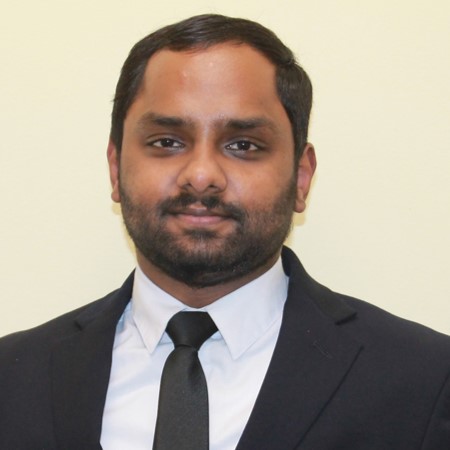
Kranthi Bathula is the Co-Founder and CTO of Proctor360 and an online proctoring and assessment-security expert with extensive experience in EdTech, exam integrity, and AI-enabled test monitoring. He writes about remote proctoring, test security, AI in assessments, live and automated proctoring, and best practices for secure online testing. Through his engineering-driven insights, Kranthi helps educational institutions, certification bodies, and employers make informed decisions to protect the integrity of their exams.