Best Online Exam Monitoring Solutions for Higher Education Institutions
Picture a provost who signs a three-year proctoring contract in June. By October, the faculty senate has passed a resolution objecting to the room-scan requirement, the disability services office has documented nine students who could not complete check-in with assistive technology, and the CIO has discovered that the per-session price quoted did not include live proctoring, which is what two-thirds of departments actually requested.
Nobody did anything unreasonable. The evaluation just asked the wrong questions.
Choosing online exam software for colleges is less about feature checklists than about matching a vendor's actual delivery model to how your institution tests. This guide lays out the criteria that separate a workable contract from an expensive one, and shows where Proctor360 fits against each.
Start with your exam profile, not the vendor's demo
Before you read a single sales deck, write down four numbers.
How many proctored sessions do you run in a year? What percentage of those are low-stakes formative assessments versus high-stakes, credential-linked, or program-gating exams? What is your single busiest hour of the term? And how many of your exams are paper-based or involve physical materials that a browser lock cannot protect?
That last question eliminates a surprising number of vendors immediately. Most remote proctoring is built on the assumption that the exam lives in a browser. If your nursing program administers a paper skills assessment or your engineering department uses printed reference sheets, browser-based lockdown does nothing for you.
1. Security tiers, and whether you can mix them
The single biggest cost driver in proctoring is paying for live human monitoring on exams that do not need it.
A vendor with one delivery mode forces a bad trade. You either overpay across the board or you accept weaker monitoring on your highest-risk exams. Look for a provider that lets different courses run on different tiers under one contract and one integration.
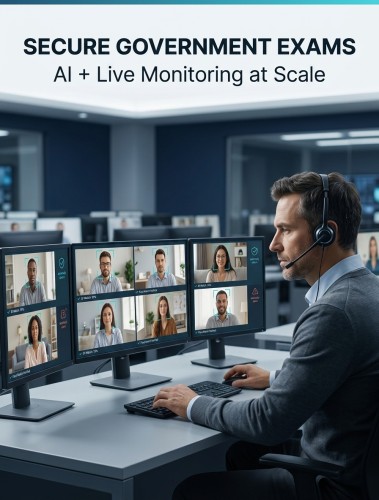
Proctor360 offers five service tiers: AI auto-proctoring with automated check-in and ID verification, AI Auto-Proctoring with Intervention, Single Webcam Live with real-time intervention and chat, Multi-Cam Live, which turns the candidate's own phone into a second camera, and Institutional SaaS Remote Proctoring, a SaaS platform that lets your own staff proctor your own candidates with built-in scheduling. The patent-pending 360° Total View™ headset covers the highest-stakes exams.
Ask every shortlisted vendor directly: can a single institution run automated proctoring for weekly quizzes and live or hardware-assisted proctoring for comprehensive exams, without a second contract?
2. Accessibility, and who carries the legal risk
This criterion moved from nice-to-have to contractual in 2024.
The Department of Justice's final rule under Title II of the ADA, published April 24, 2024, set WCAG 2.1 Level AA as the technical standard for web content and mobile apps provided by state and local governments, a category that explicitly includes public schools, community colleges, and public universities. Compliance dates were later extended to April 26, 2027 for entities with a total population of 50,000 or more and April 26, 2028 for smaller entities and special district governments.
Read the exception list carefully. Content posted by a public entity's contractor or vendor is not exempt from the standard. The institution carries the obligation.
What to ask for during evaluation:
- A current accessibility conformance report against WCAG 2.1 AA, with the test date, not just the document date
- A live walkthrough of the full candidate path with a screen reader, including ID capture and any room scan step
- Written confirmation that extended time, additional breaks, and assistive software pass through from your LMS or accommodations platform automatically
- A documented alternative process for candidates who cannot complete a standard room scan for disability-related reasons
If a vendor cannot demonstrate this live, treat the gap as a contract risk rather than a roadmap item.
3. LMS and test-engine integration depth
"Integrates with Canvas" can mean anything from full LTI 1.3 with grade passback and roster sync to a link a student clicks that dumps them into a separate portal.
Ask what specifically passes between systems. Roster? Accommodation flags? Scores? Session recordings and incident reports? Does the instructor review flagged incidents inside your LMS, or in a second interface with its own logins and its own training burden?
Proctor360 publishes eleven named LMS and test-engine integrations and works with most common LMS platforms and third-party test publishers. It supports LTI 1.3 (LTI 1.1 is also available), SAML 2.0 single sign-on including Microsoft Entra ID, and a secured REST API. Whatever vendor you choose, get your specific platform and version confirmed in writing, then pilot it in a real course with a real gradebook before you scale.
4. Data protection and compliance posture
Student exam recordings are among the more sensitive records an institution holds. Video of a student's home, their ID document, and their biometric check-in data all live in the vendor's environment.
Baseline expectations for higher education: SOC 2, GDPR where you enroll students in the EU or UK, and FERPA. Beyond the certificate list, ask the operational questions. Where is data hosted? How long are recordings retained, and can retention be configured per institution? Are accounts separated per organization or pooled? Are proctors background-checked and trained on data handling? Are penetration tests run by an external party as well as internally?
Proctor360 holds a SOC 2 Type I report and is GDPR and FERPA compliant, keeps each organization's data in a segregated storage account, runs regular internal and external security penetration and load testing, and background-checks staff. Default retention is six months. For institutions handling regulated or controlled content, it also offers AWS GovCloud hosting with US-citizen, data-security-trained proctors. Its published explanations of candidate privacy and GDPR handling are worth reading before you write your data protection addendum.
5. Pricing models and where the surprises hide
Most proctoring is priced per session, sometimes per session-hour, occasionally as an annual platform license plus usage. None of those is inherently better. The trouble is comparing them.
Normalize every quote to cost per proctored student-hour at your actual tier mix, then check for the items that rarely appear on the first page:
- Does the quoted rate assume automated proctoring while your faculty expect live?
- What does a rescheduled or no-show session cost?
- Is incident review included, or billed separately per flagged session?
- Are there minimum annual volume commitments, and what happens in a term with lower enrollment?
- Is implementation and integration work a one-time fee?
- Are extended-time sessions billed at a higher rate?
For programs that only need occasional coverage, some vendors also support one-off arrangements. Proctor360 offers one-time proctoring, which is useful for a single make-up exam or a small graduate cohort without committing to volume.
6. Support hours and escalation, tested before signature
A student in a different time zone at 2:00 a.m. does not care about your vendor's stated uptime. They care whether a human answers.
During evaluation, actually contact the vendor's support channel at an odd hour and see what happens. Then ask for a written escalation path: who resolves a stuck session, who authorizes a re-entry, and what the response commitment is during your peak weeks.
Proctor360's student support runs 24/7, through a chatbot or ticket with a 15-minute reply commitment in AI-only sessions and through the proctor, by chat and phone, in live sessions.
Third-party review data is a reasonable, if imperfect, signal here. Proctor360 holds a 4.9 out of 5 rating on G2 across 14 reviews and 5.0 out of 5 on Gartner Peer Insights across 3 ratings, where it is ranked first for service and support among remote proctoring vendors.
What a serious proctoring vendor should provide
The requirements are not exotic. Multiple security tiers so exam risk drives cost rather than the other way around. Documented accessibility conformance you can verify yourself, given that the legal obligation sits with your institution. Genuine LMS integration with accommodation and grade data flowing both ways. Compliance credentials matched to student data sensitivity. Hardware-level monitoring available for the exams where a single webcam genuinely is not enough. And support staffed at the hours your students test.
Proctor360 is built around those criteria as a package rather than as a set of add-ons, and can provide a current VPAT documenting its accessibility conformance. It is a Chantilly, Virginia company founded in May 2018, its 360° Total View™ headset is the differentiator most competitors do not have an answer to, and it holds memberships with EDUCAUSE, OLC, ATP, NCTA, and AWS EdStart alongside its work with federal agencies and higher education institutions.
Frequently Asked Questions
What should colleges look for in online exam monitoring software?
Start with tier flexibility, verified WCAG 2.1 AA accessibility, real LMS integration including accommodation passthrough, SOC 2 and FERPA compliance, and support hours that match when your students actually test. Feature lists matter less than whether those six things hold up under a live demo with your own accounts.
How much does online proctoring cost for a university?
Pricing is usually per session or per session-hour and varies significantly by security tier, since automated monitoring costs less to deliver than live human proctoring. Normalize competing quotes to cost per proctored student-hour at your real tier mix, and confirm what rescheduled sessions, incident review, and implementation add.
Do proctoring platforms have to meet WCAG accessibility standards?
Public colleges and universities must meet WCAG 2.1 Level AA for web content and mobile apps they provide or make available, and the DOJ rule states that vendor-posted content is not covered by the third-party exception. Compliance deadlines are April 26, 2027 and April 26, 2028 depending on entity population.
Is AI proctoring good enough, or do we need live proctors?
It depends on the exam. Automated proctoring handles high-volume, lower-stakes assessments efficiently and produces a reviewable record. For program-gating or credential-linked exams, live intervention or additional camera coverage is worth the cost, because a proctor can resolve an anomaly in the moment rather than weeks later during an appeal.
Can remote proctoring be used for paper-based exams?
Most browser-based platforms cannot supervise a paper exam meaningfully. Proctor360's 360° Total View™ headset captures the full testing space with a 360-degree camera, microphone, and speaker, and supports both online and paper exams, which is unusual in this category.
How do we evaluate proctoring vendors without a competitor comparison chart?
Build criteria first, then test each vendor against them with your own accounts: run the accessibility walkthrough, pilot the LMS integration in a real course, contact support at an inconvenient hour, and normalize pricing to a single unit. Published comparison charts rarely reflect your specific tier mix or integration requirements.
Making the decision
The institutions that end up happy with their proctoring contracts are the ones that defined their exam profile before the first demo, tested accessibility themselves rather than accepting a PDF, and priced against their real mix of automated and live sessions.
If you are running an evaluation this cycle, schedule a demo and talk to the team about your exam volumes, your LMS, and the accessibility requirements you have to document.
Sources
- Fact Sheet: New Rule on the Accessibility of Web Content and Mobile Apps Provided by State and Local Governments, U.S. Department of Justice, Civil Rights Division
- Web Content Accessibility Guidelines (WCAG), World Wide Web Consortium
- AI Auto-Proctoring, Proctor360
- Multi-cam Live Proctoring, Proctor360
- Remote Proctoring Software, Proctor360
- 360° Total View™, Proctor360
- Integrations, Proctor360
- GovCloud Remote Proctoring, Proctor360
- Privacy Explained, Proctor360
- Understanding GDPR, Proctor360
- One-Time Proctoring, Proctor360
- Book a Demo, Proctor360

Kranthi Bathula is the Co-Founder and CTO of Proctor360 and an online proctoring and assessment-security expert with extensive experience in EdTech, exam integrity, and AI-enabled test monitoring. He writes about remote proctoring, test security, AI in assessments, live and automated proctoring, and best practices for secure online testing. Through his engineering-driven insights, Kranthi helps educational institutions, certification bodies, and employers make informed decisions to protect the integrity of their exams.