Key takeaways
- A single front-facing camera can't see the desk, the sides of the room, or a phone held just below the frame, and that's where cheating hides.
- Full-room coverage from a 360-degree setup or a live multi-cam proctor closes the gaps webcams leave.
- Keep single-camera AI for low-stakes quizzes and reserve full coverage for exams that actually carry weight.
Online exams offer flexibility, but ensuring integrity is increasingly challenging. Many institutions still rely on single-camera proctoring, assuming it enforces fairness. In practice, single-camera setups can leave gaps in visibility, creating opportunities for determined test-takers to bypass rules.
This article explores common cheating methods and highlights why single-camera monitoring may be insufficient, along with how modern, multi-layered solutions help strengthen exam security.
The Single-Camera Blind Spot
Single-camera proctoring typically monitors a candidate's face, upper body, and screen. While this may appear sufficient, it has limitations:
- Limited field of view: Activities below the desk, behind the monitor, or on walls may not be visible
- Environmental challenges: Poor lighting or reflections can obscure actions
- Device blind spots: Secondary devices or external assistance may go undetected
A single camera provides only a partial view of the testing environment, which can impact exam integrity.
Categories of Cheating Methods
A. Physical & Environmental Exploits
- Hidden notes under or around the screen
- Writing on hands, arms, or surfaces
- Notes on clothing or peripherals
- Open materials positioned outside the camera frame
- Use of lighting, mirrors, or reflections
- Smart glasses or discreet audio devices
B. Human & Collaboration-Based Tactics
- Off-camera assistance from another person
- Impersonation or proxy test-taking
- Coordinated communication through messaging tools
- Remote assistance disguised as technical help
C. Technological Exploits
- Secondary devices such as smartphones or tablets
- Smartwatches or audio-enabled wearables
- Virtual machines or remote desktop tools
- Screen-sharing software or virtual cameras
- Browser extensions or hidden applications
D. AI-Assisted Tools
- Use of AI tools (e.g., large language models) to generate answers
- AI-assisted writing, coding, or data analysis
- Image recognition or translation tools
Potential Consequences
Curious how Proctor360 fits your exam program?
See AI, live, multi-cam, and 360° Total View™ proctoring in a quick 30-minute demo.
- Reduced exam integrity and fairness
- Increased disputes and review workload
- Impact on institutional credibility
- Risk to the perceived value of credentials
Beyond a Single Camera: Strengthening Exam Security
A more comprehensive approach may include:
- Multi-angle monitoring (e.g., secondary camera or 360° view)
- AI-assisted anomaly detection
- Human proctor oversight
- Secure browser controls to help restrict unauthorized actions
- Identity verification and environment checks
This layered approach helps address a broader range of potential risks while maintaining a balanced testing experience.
Key Considerations for a Future-Ready Solution
- Expanded camera coverage to reduce blind spots
- Continuous identity and environment verification
- AI tools that help flag unusual behavior
- Secure exam delivery environment
- Scalable and privacy-conscious infrastructure
FAQs
Q1: Is single-camera proctoring effective?
A: It can support basic monitoring but may leave gaps in visibility depending on the environment.
Q2: Can single-camera systems detect AI-assisted activity?
A: Detection may be limited if activity occurs on secondary or off-camera devices.
Q3: How can integrity be maintained without being overly intrusive?
A: A layered approach combining AI, human review, and multi-angle monitoring can improve security while maintaining balance.
Q4: What are the risks of limited monitoring?
A: Increased potential for misconduct, disputes, and reduced confidence in exam outcomes.
Q5: What features strengthen proctoring solutions?
A: Multi-camera monitoring, AI-assisted review, secure browsers, identity verification, and human oversight.
Bottom Line
Single-camera proctoring can be useful but may not provide full visibility in all scenarios. A layered, multi-angle approach helps institutions better support fairness, credibility, and trust in online assessments.
Frequently Asked Questions (FAQs)
What cheating methods does single-camera proctoring miss?
Standard webcams cannot see secondary devices placed to the side, printed notes below desk level, earpieces, or accomplices outside the camera field of view. These blind spots are the most commonly exploited vulnerabilities in webcam-only proctoring.
Why is 360° proctoring more effective than webcam proctoring?
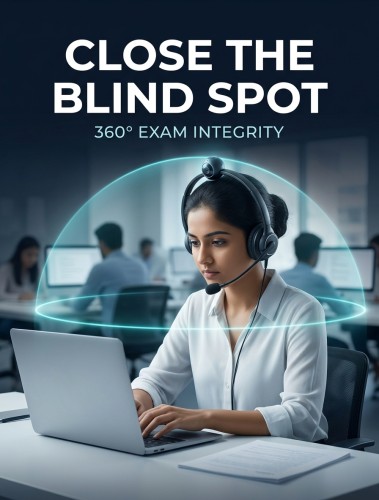
Proctor360's 360° Total View headset captures the full room, side angles, above, and behind the candidate, eliminating the coverage gaps that make single-camera systems exploitable.
Does single-camera AI proctoring have a high false positive rate?
Yes. Single-camera AI systems generate more false flags because they compensate for limited field of view with aggressive motion and gaze detection. Proctor360's 360° coverage allows more precise detection with fewer false positives.
What is the standard for secure remote exam proctoring?
Industry leaders in high-stakes certification now require full-room monitoring, achieved either through Proctor360's 360° Total View system or through Multi-Cam Live Proctoring with a human proctor, combined with audio monitoring, browser extension enforcement, and live proctor oversight.
Can institutions still use single-camera proctoring for lower-stakes exams?
Yes, Proctor360 offers tiered monitoring options, including single-camera AI-only proctoring for low-stakes formative assessments, with 360° monitoring reserved for high-stakes or regulated exams.
Ready to see Proctor360 in action?
Get a 30-minute demo tailored to your exam type, whether that is AI, live, multi-cam, or 360° Total View™.

Kranthi Bathula is the Co-Founder and CTO of Proctor360 and an online proctoring and assessment-security expert with extensive experience in EdTech, exam integrity, and AI-enabled test monitoring. He writes about remote proctoring, test security, AI in assessments, live and automated proctoring, and best practices for secure online testing. Through his engineering-driven insights, Kranthi helps educational institutions, certification bodies, and employers make informed decisions to protect the integrity of their exams.