The Ultimate Guide to Online Proctoring Software Features for Assessment Companies
Are you an assessment company or an educational institution looking to secure your online exams and maintain academic integrity? Choosing the right online proctoring software can feel like navigating a complex maze. With the global online proctoring market rapidly expanding, it is more crucial than ever to understand the essential features that truly matter.
The right software protects your reputation, ensures fairness for test-takers, and provides reliable results. This guide explores the top online proctoring software features to consider, helping you make an informed decision that aligns with your specific needs and regulatory requirements.
Core Security Features: The Non-Negotiables for Test Integrity
Security is the foundation of any reliable proctoring system. Without robust security architecture, digital credentials lose their value. The following non-negotiable features are designed to prevent misconduct and establish a controlled testing environment.
Multi-Layered Identity Verification
Confirming a test-taker's identity is your first line of defense. Advanced software runs automated check-in workflows before an assessment begins:
- Biometric Authentication: Employs facial recognition to map candidate facial features, verifying identity against an onboarding baseline.
- ID Document Verification: Captures and cross-checks government-issued IDs or institutional passports using optical character recognition (OCR) or human verification panels.
- Continuous Matching: Runs persistent background facial tracking throughout the test window to guarantee that the authenticated individual does not swap places with an unapproved proxy.A secure exam requires keeping candidates within a single, restricted application environment. Advanced browser lockdown systems secure the local operating system to block access to digital cheating aids:
Advanced Browser Extension Monitoring
A secure exam requires keeping candidates within a controlled testing environment. Proctor360's browser extension operates at the browser level, granting the necessary webcam, microphone, and screen-share permissions while monitoring activity within the exam session:
- Disables copy-paste functionality within the exam browser window.
- Monitors for tab switches and flags access to prohibited browser features during the test.
- Supports direct proctor communication within the browser window for live-proctored sessions.
This browser-level approach means the extension governs what happens inside the exam tab and browser window itself, rather than exerting control over the candidate's operating system or other applications running on the device.
A quick note on terminology, since vendors in this space aren't always precise about it. Some proctoring products market themselves as a "lockdown browser" or "secure browser," language that implies the software takes control of the entire device, blocking other applications, disabling virtual machines, or preventing multi-monitor setups at the operating-system level. That is a meaningfully stronger and more invasive claim than what a browser extension actually does.
Proctor360's extension does not lock down the device. It works within the browser window, the way an extension is designed to. A candidate's operating system, other installed applications, and system-level settings are outside its reach. This distinction matters for two reasons. First, accuracy: describing browser-level monitoring as a "lockdown" overstates what the technology does, and an institution repeating that claim to its own students or a regulator is repeating something that isn't quite true. Second, transparency: candidates and institutions evaluating a proctoring tool deserve to know exactly what is and is not being monitored or restricted on their device, rather than a vaguer, more alarming-sounding description that doesn't match reality.
That is why Proctor360 describes this feature as browser extension monitoring rather than a lockdown or secure browser, and why any content referencing it should hold to that same distinction.
Comprehensive Environmental Monitoring
Securing the digital window is only half the battle; platforms must also monitor the physical testing space. Advanced software utilizes specific hardware and peripheral integrations to detect external cheating variables:
- 360-Degree Room Scans: Prompts the candidate to rotate their camera fully before launch to verify that the physical workspace is free from hidden reference materials or secondary computers.
- Acoustic Environment Analysis: Utilizes the device microphone to catch forbidden acoustic signatures, such as reading questions aloud, whispering, or external verbal assistance.
- Multi-Camera Configurations: Combines a primary device webcam with secondary vantage points—such as smartphone linkages or specialized hardware like Proctor360’s 360 Total View™ headset—to completely remove room blind spots.
AI & Machine Learning Capabilities for Modern Proctoring
Artificial Intelligence (AI) and machine learning offer efficiency and observation accuracy that manual oversight cannot achieve at scale.
Intelligent Behavior Analysis
Computer vision and machine learning engines analyze candidate activity over time to flag anomalies with precise timestamps:
- Gaze & Eye Tracking: Tracks eye movement patterns to identify if a student constantly looks away from the screen toward external notes or a secondary display.
- Behavioral Flagging: Alerts administrators automatically if the user exhibits suspicious activity patterns, such as disappearing from the camera frame or conversing with an off-screen entity.
Automated Threat Detection
AI models instantly analyze massive amounts of telemetry to trigger automated alerts for clear exam violations:
- Multiple Face Detection: Flags the visual presence of secondary individuals within the camera's frame.
- Unauthorized Object Detection: Identifies unapproved devices—like secondary smartphones, smartwatches, or tablets—brought into the active testing space.
Smart False Positive Reduction
While AI tracking is incredibly powerful, over-sensitive rules create false positives that increase student anxiety and expand administrative workloads. To counter this, elite software uses smart optimization models.
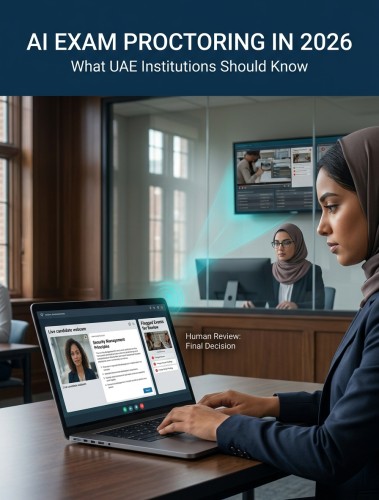
The software routes flagged telemetry through a context-aware AI filter first, which analyzes surrounding variables before generating a flag (such as distinguishing an innocent cough or stretch from a deliberate policy violation). From there, the system uses a human-in-the-loop validation step where a certified human proctor audits the clip to verify the actual infraction and dismiss false alarms.
Compliance & Data Privacy Features
Handling sensitive personal audio, video, and identity records requires deep alignment with global legal frameworks.
Global Regulatory Compliance
Operating across borders means your platform infrastructure must handle data in strict compliance with localized data protection acts:
- GDPR (Europe): Adheres to clear data minimization rules, explicit user opt-in consent pathways, and data localization boundaries.
- FERPA & CCPA (North America): Protects institutional educational records and respects regional consumer privacy directives.
- SOC 2 Type II Certification: Independent validation demonstrating that the vendor’s security controls, cloud storage pipelines, and data access policies are regularly audited.
Data Security Protocols
Technical data safety mechanisms prevent data leaks and block unauthorized third-party access:
- End-to-End Encryption: Encrypts data packets fully while in transit and at rest within cloud nodes.
- Configurable Data Deletion: Automates the purging of sensitive session records and identity scans once the institutional validation window closes.
Integration, Scalability, and Administration
A robust proctoring utility cannot exist in a vacuum; it must seamlessly integrate into your current administrative stack while scaling up dynamically during high-volume exam cycles.
LMS & API Integration Capabilities
Turnkey software should communicate natively with your existing platforms to minimize manual administrative upkeep:
- Native LMS Integration: Turnkey connection extensions for prominent platforms like Canvas, Moodle, Blackboard, and D2L Brightspace allow for direct exam configuration and automated gradebook synchronization.
- Developer-Friendly REST APIs: Allows corporate institutions and custom assessment frameworks to build custom connections and feed proctoring records into localized analytics tools.
Scalability & Infrastructure Performance
During critical final exam periods or high-volume hiring waves, infrastructure stability is vital. Look for software architectures built on elastic cloud networks, global server distribution, and automated load balancing to support thousands of concurrent test-takers without suffering connection latency or application drops.
Customization Options
Your platform choice should match your brand footprint. Look for solutions offering fully branded portal interfaces, configurable behavior rule sets per individual assessment type, and customizable administrative workflows to align with your organization's unique requirements.
User Experience & Accessibility: Prioritizing Your Test-Takers
A rigid or confusing proctoring setup can cause high test anxiety, which can artificially distort a candidate's actual score.
- Frictionless Onboarding: Look for a streamlined check-in process featuring low hardware/system requirements and clear, step-by-step onboarding sequences.
- Comprehensive Accessibility: Software must prioritize equity, maintaining strict alignment with ADA and WCAG guidelines. The system must support screen-reader engines and accommodate approved physical accessibility variations without generating false cheating alerts.
Technical Support & Implementation Roadmap
Deploying new enterprise assessment utilities requires an active partnership with your vendor to ensure organizational readiness.
- 24/7 Global Technical Support: Immediate, live technical desks must be available to assist candidates experiencing connection drops or onboarding difficulties across different time zones.
- Phased Rollout Framework: Choose a provider that offers structured implementation paths—including initial pilot sandboxes, system validation protocols, staff training manuals, and live launch oversight.
Cost & ROI Analysis Framework
Evaluating online proctoring software features requires matching your budget against long-term risk reduction.
- Flexible Pricing Frameworks: Providers typically offer per-exam usage models (ideal for fluctuating volumes) or flat annual subscription licensing tiers (best for predictable, high-volume testing).
- ROI Optimization: Upfront software allocations are quickly balanced by eliminating physical venue rentals, removing live proctor scheduling overhead, preventing test content leaks, and securing the long-term reputation of your credentials. Most assessment institutions report a full return on investment within 6 to 18 months.
Future-Proofing Your Investment
As technology advances, remote assessment platforms must continue to update their security capabilities. Forward-thinking providers prioritize continuous technology updates, such as exploring blockchain engines for secure certificate validation, utilizing typing dynamic biometrics, and preparing predictive fraud-prevention matrices to stop evolving misconduct methods before they materialize.
Conclusion
Selecting the right online proctoring software is a strategic decision that directly influences the integrity, scale, and fairness of your testing pipeline. By focusing on multi-layered security protocols, transparent global compliance, deep LMS integration, and an intuitive candidate experience, you can select a resilient testing ecosystem that grows alongside your organization.
Frequently Asked Questions (FAQs)
1. What are the most critical security features to prevent cheating in online proctoring software?
The most reliable security configurations rely on multi-layered identity check-ins (biometric face matching and ID validation), ironclad browser lockdown controls to stop local operating system switching, and comprehensive environment scans (360-degree room panning or multi-camera views) to spot hidden cheating devices.
2. How does online proctoring software handle data privacy compliance across different regions?
Top-tier proctoring platforms leverage built-in privacy-by-design standards. This ensures full encryption of all video and text logs, explicit user consent agreements, and automated data purging schedules that align with strict regional laws like GDPR (Europe) and FERPA (North America).
3. What integration capabilities should I look for when connecting proctoring software with our existing assessment platforms?
Prioritize tools that feature documented REST APIs and native LTI connectivity with major Learning Management Systems like Canvas, Moodle, and Blackboard. This enables single sign-on (SSO) configurations, automatic exam scheduling, and instantaneous gradebook synchronization.
4. How accurate is AI-based cheating detection, and what's the false positive rate?
Modern AI tracking algorithms are highly accurate at tracking eye gaze, audio anomalies, and unauthorized devices. To manage the inherent risks of false positives, look for systems that use context-aware evaluation parameters alongside a hybrid human-in-the-loop review architecture.
5. How does different proctoring models (AI-only vs. live vs. hybrid) compare in terms of cost and effectiveness?
AI-only models offer automated tracking at the lowest price point, making them highly efficient for high-volume, lower-stakes testing. Live proctoring provides real-time intervention but carries higher personnel costs. Hybrid frameworks offer the ideal balance—using scalable AI models for initial event flagging and human review teams to handle final determinations.

Kranthi Bathula is the Co-Founder and CTO of Proctor360 and an online proctoring and assessment-security expert with extensive experience in EdTech, exam integrity, and AI-enabled test monitoring. He writes about remote proctoring, test security, AI in assessments, live and automated proctoring, and best practices for secure online testing. Through his engineering-driven insights, Kranthi helps educational institutions, certification bodies, and employers make informed decisions to protect the integrity of their exams.