Key takeaways
- Onsite proctoring offers a controlled room; remote proctoring offers reach, flexibility, and lower cost.
- The right choice depends on exam stakes, candidate location, and how much control the credential requires.
- For most exams, remote monitoring now matches test-center security without the travel and scheduling.
Remote vs Onsite Proctoring: Which Is Better for Your Assessment Needs?
In today's fast-evolving educational and professional landscapes, assessments are critical for validating skills and knowledge. But how do you ensure these evaluations are fair, secure, and accessible to everyone?
The choice between remote vs onsite proctoring is a major decision for any organization managing exams. Both methods offer distinct advantages and challenges, and understanding them is key to making the best choice for your specific assessment requirements.
Understanding Proctoring Methods
Before we weigh the benefits, it's helpful to clearly define what each proctoring method involves. Knowing the fundamental differences helps in evaluating which system aligns best with your organizational goals and assessment integrity standards.
What is Onsite Proctoring?
Onsite proctoring, often called in-person or test center proctoring, is the traditional method of exam supervision. Candidates take their tests at a designated physical location, such as a university testing center or a professional certification site.
This method relies on trained human proctors who are physically present in the room. They monitor candidates directly, verify identities, distribute materials, and ensure adherence to exam rules. The environment is usually controlled, with standardized equipment and strict entry protocols.
What is Remote Proctoring?
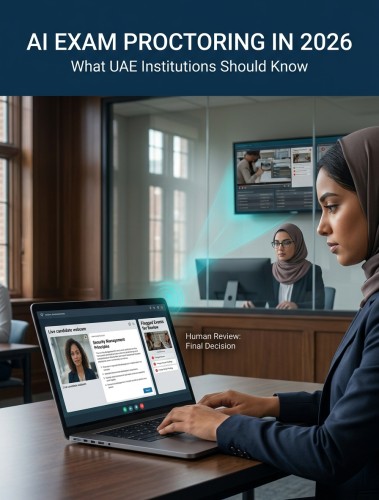
Remote proctoring, also known as online proctoring or digital invigilation, allows candidates to take exams from almost anywhere with an internet connection. This method uses technology to monitor test-takers through their computer's webcam, microphone, and screen.
There are several types of remote proctoring, each offering different levels of oversight:
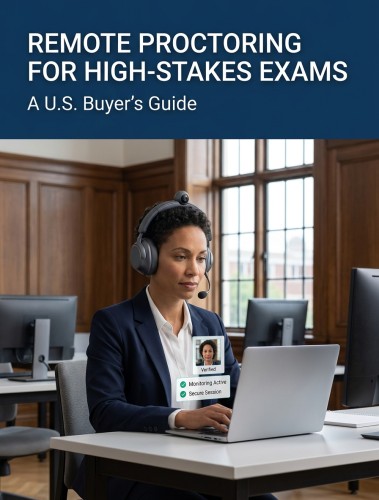
- Live Remote Proctoring: Involves a human proctor observing the candidate in real-time through a video feed, allowing for immediate intervention.
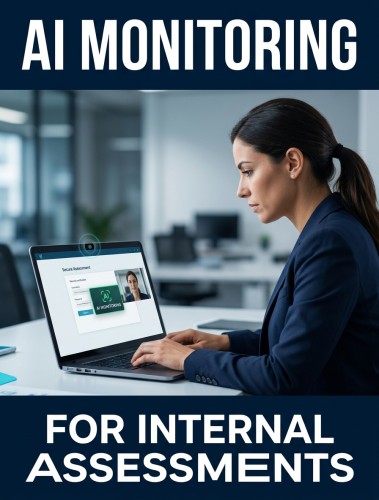
- Automated (AI) Proctoring: Uses artificial intelligence to detect suspicious behaviors, such as eye movements, unauthorized objects, or external voices, and flags potential violations for review.
- Record and Review: The entire exam session is recorded (video, audio, and screen activity) and reviewed asynchronously by human auditors to verify integrity.
Security Comparison: Which Protects Assessment Integrity Better?
The core purpose of any proctoring method is to maintain the integrity of an assessment. Both remote and onsite solutions aim to prevent cheating and ensure that results accurately reflect a candidate's abilities.
Cheating Prevention Effectiveness
Onsite proctoring benefits from physical presence, which can deter some forms of cheating due to direct supervision. However, modern remote proctoring technologies, particularly those incorporating 360-degree monitoring, have significantly enhanced security, drastically reducing cheating incidents compared to traditional methods.
AI detection capabilities in remote proctoring are constantly improving. They identify subtle patterns of behavior that might be missed by a human proctor, such as using unauthorized devices or accessing forbidden websites. This automated surveillance offers a consistent and tireless form of observation.
Assessment Validity Evidence
A key concern for high-stakes assessments is ensuring measurement equivalence, meaning the scores obtained through one proctoring method are comparable and valid to those obtained through another.
Studies examining professional certification and university exams often show no significant difference in candidate performance between remotely and onsite proctored tests. This provides strong evidence for the validity of remote proctoring for credentialing exams and other high-stakes evaluations.
Cost Analysis: ROI Comparison for Assessment Companies
Cost is a significant factor for any organization. Understanding the financial implications, including implementation, operational expenses, and long-term return on investment (ROI), is vital when choosing between proctoring solutions.
Implementation and Operational Expenses
The initial outlay for each proctoring method differs significantly:
| Cost Factor | Onsite Proctoring | Remote Proctoring |
| Upfront Setup | Physical venues, security infrastructure, computers, surveillance cameras. | Software licensing fees, API integration with LMS/assessment platforms. |
| Operational Overhead | High (rent, utilities, physical security, large human staffing footprint). | Low (cloud infrastructure, scalable software-driven models). |
| Average Cost Per Exam | $50 to $150+ | $6 to $28 |
Scalability is another key factor in operational costs. Remote proctoring can scale up to accommodate thousands of candidates with minimal proportional increase in cost per exam. A notable example is the University of Florida, which saved $1.14 million over three semesters by transitioning to remote proctoring.
Long-Term ROI Calculation
Calculating the true return on investment involves looking beyond immediate savings to evaluate the total cost of ownership over several years. While remote proctoring features a lower cost per exam, organizations must also factor in variables like platform reliability, technical support infrastructure, and ongoing compliance updates. To quantify this financial impact, institutions calculate their return on investment percentage by subtracting the remote proctoring cost from the traditional onsite proctoring cost, dividing that figure by the total remote proctoring investment, and multiplying the result by 100 percent.
However, the value of remote proctoring extends beyond direct cost savings. It offers multi-year financial advantages, including:
Curious how Proctor360 fits your exam program?
See AI, live, multi-cam, and 360° Total View™ proctoring in a quick 30-minute demo.
- Flattened Cost Scales: Unlike physical centers where costs grow linearly with student volume, digital infrastructure keeps marginal costs near zero after integration.
- Geographic Expansion: Unlocks worldwide revenue potential by reaching candidates globally without local property overhead.
- Brand Asset Protection: Advanced AI and environmental security guard against question-leak exposure, preventing the marketplace depreciation of your certifications.
Technical Requirements & Integration
Implementing any proctoring solution requires careful consideration of technical infrastructure and seamless integration with existing systems to ensure smooth operations.
Infrastructure Needs Comparison
- Onsite Infrastructure: Demands dedicated testing rooms, reliable desktop computers with appropriate software, high-speed wired internet connections, power backup systems, and physical security controls.
- Remote Infrastructure: Shifts much of the physical burden to the candidate. However, the organization needs a robust online proctoring platform, reliable servers, and sufficient bandwidth to handle concurrent sessions. Candidates typically need a stable internet connection (at least 2 Mbps upload/download), a working webcam and microphone, and a compatible operating system.
Platform Integration Considerations
Onsite proctoring often involves manual data transfer or integration with local scheduling and registration systems. Conversely, remote proctoring solutions are designed for digital integration. They frequently offer native compatibility with popular assessment platforms and learning management systems (LMS) like Canvas, Moodle, or Blackboard.
Robust API and customization capabilities reduce administrative burden, minimize human errors, and provide a unified experience for both administrators and candidates.
Candidate Experience & Accessibility
Beyond security and cost, the experience of the test-taker is paramount. A positive and accessible testing experience can reduce anxiety and improve performance.
- User Experience: Onsite proctoring offers a structured, distraction-free environment, but requires travel, strict scheduling, and rigid geographic constraints. Remote proctoring excels in convenience and flexibility, allowing candidates to take exams from the comfort of their home or office, though it places the responsibility on the candidate to ensure a stable technical setup.
- Global Accessibility: Onsite proctoring is inherently limited by physical center availability, creating barriers for candidates in remote areas, different countries, or those with mobility issues. Remote proctoring significantly enhances global accessibility, breaking down geographical barriers for global certification programs, online universities, and international hiring processes.
Implementation Roadmap for Assessment Companies
Making the switch or enhancing an existing proctoring system requires careful planning to ensure successful adoption.
Transitioning from Onsite to Remote
- Pilot Program (Weeks 2–4): Conduct a pilot phase with a smaller group of assessments to test the platform and resolve technical glitches before a broader rollout.
- Communication & Training: Develop a detailed communication plan regarding technical requirements and train administrative and support teams on the new platform.
- Full Implementation (Weeks 8–12): Gradually roll out the remote proctoring solution across more assessments, monitoring performance and gathering continuous feedback.
Hybrid Proctoring Models
For many organizations, a hybrid approach offers the best of both worlds. This means using onsite proctoring for high-stakes, extremely sensitive exams, while deploying remote proctoring for lower-stakes assessments or those requiring greater flexibility. This strategic deployment optimizes institutional resources and provides maximum flexibility.
Regional Considerations & Compliance
The global nature of assessments means that regional differences play a significant role in implementation.
- Regulatory Compliance Requirements: Data privacy is paramount, with regulations like GDPR in Europe and FERPA in the US governing how personal data is collected, stored, and processed. Remote proctoring solutions must adhere strictly to these rules. Additionally, accessibility laws like the Americans with Disabilities Act (ADA) dictate how assessments must accommodate individuals with features like extended time or screen reader compatibility.
- Market-Specific Implementation: Technology infrastructure varies significantly across different regions. In some parts of the Middle East or Asia, internet bandwidth might be less reliable than in North America or Europe, necessitating proctoring solutions that are resilient to connectivity drops.
Future Trends & Technology Evolution
The proctoring landscape is constantly evolving, driven by technological advancements and changing assessment needs. Staying informed about emerging trends is crucial for long-term strategic planning.
Emerging Proctoring Technologies
Artificial intelligence and machine learning are at the forefront of proctoring innovation. AI is becoming increasingly sophisticated in detecting subtle cheating behaviors, identifying unauthorized objects, and even analyzing biometric data. This leads to more precise and efficient fraud prevention.
Biometric authentication, including facial recognition and keystroke dynamics, is enhancing identity verification and continuous authentication throughout an exam. This prevents imposters from taking tests and ensures the legitimate candidate remains present. Furthermore, blockchain technology is being explored for enhancing the security and immutability of assessment records and certifications.
Market Growth Projections
The remote proctoring market is experiencing rapid growth, projected to reach $1.4 billion by 2032. This expansion is fueled by the continued shift towards online learning, the demand for flexible assessment options, and the increasing globalization of education and professional development.
Technology adoption trends show a clear move towards more automated and AI-driven solutions, offering greater scalability and consistency. While initial investments in advanced proctoring technology may be higher, the operational efficiencies and scalability will continue to drive down the cost per exam in the long run.
Conclusion: Making the Right Choice for Your Organization
The debate between remote vs onsite proctoring is not about one being definitively "better" than the other in all scenarios. Instead, it's about identifying which method, or combination of methods, best suits your specific assessment needs, security requirements, budget, and candidate population.
For high-stakes professional certifications, both methods offer robust security when properly implemented. Remote proctoring, especially with advanced AI and 360-degree monitoring, has demonstrated comparable effectiveness in cheating prevention.
Organizations prioritizing cost savings and scalability will often find remote proctoring to be the more advantageous option. Its ability to accommodate a large number of candidates across diverse locations without significant physical overhead leads to considerable ROI. When making your decision, consider the type of assessment, the risk tolerance for cheating, the technical capabilities of your candidates, and relevant regulatory compliance. A hybrid approach often provides the most flexibility, allowing you to tailor the proctoring method to each assessment's unique demands.
Frequently Asked Questions (FAQs)
What are the main differences between remote and onsite proctoring?
Onsite proctoring takes place in a physical test center with in-person oversight. Remote proctoring uses technology to deliver the same security standard anywhere. Proctor360's 360° Total View, Multi-Cam Live Proctoring, AI-Powered Auto Proctoring, or AI Auto Proctoring with Intervention, combined with the browser extension, replicate test-center controls in any environment.
Is remote proctoring as secure as a physical test center?
When configured with 360° camera coverage or Multi-Cam Live Proctoring, face-presence confirmation, browser extension monitoring, and live proctor oversight, as Proctor360 provides, remote proctoring matches or exceeds the security controls of most physical test centers.
How much does remote proctoring cost compared to a test center?
Remote proctoring with Proctor360 typically costs 40–60% less than equivalent test center administration when accounting for venue rental, proctor travel, scheduling overhead, and candidate travel costs.
Which proctoring model is better for international students?
Remote proctoring is significantly better for international students, who often lack access to accredited test centers in their country. Proctor360 supports candidates in 190+ countries with 24/7 technical support in multiple languages.
When should an institution still use onsite proctoring?
Onsite proctoring remains appropriate for exams with hardware requirements (lab equipment, physical materials) or regulatory mandates that explicitly require physical test center administration. For all other exam types, Proctor360's remote solution is a direct substitute.
Ready to see Proctor360 in action?
Get a 30-minute demo tailored to your exam type, whether that is AI, live, multi-cam, or 360° Total View™.

Kranthi Bathula is the Co-Founder and CTO of Proctor360 and an online proctoring and assessment-security expert with extensive experience in EdTech, exam integrity, and AI-enabled test monitoring. He writes about remote proctoring, test security, AI in assessments, live and automated proctoring, and best practices for secure online testing. Through his engineering-driven insights, Kranthi helps educational institutions, certification bodies, and employers make informed decisions to protect the integrity of their exams.